Quiet time at the piano
That score you always stop on page one— shall we play it to the last page?
See right on the score where your timing slipped as you play, and work through tricky bars slowly until they fit your hands.
Free on iOS & Android · No ads
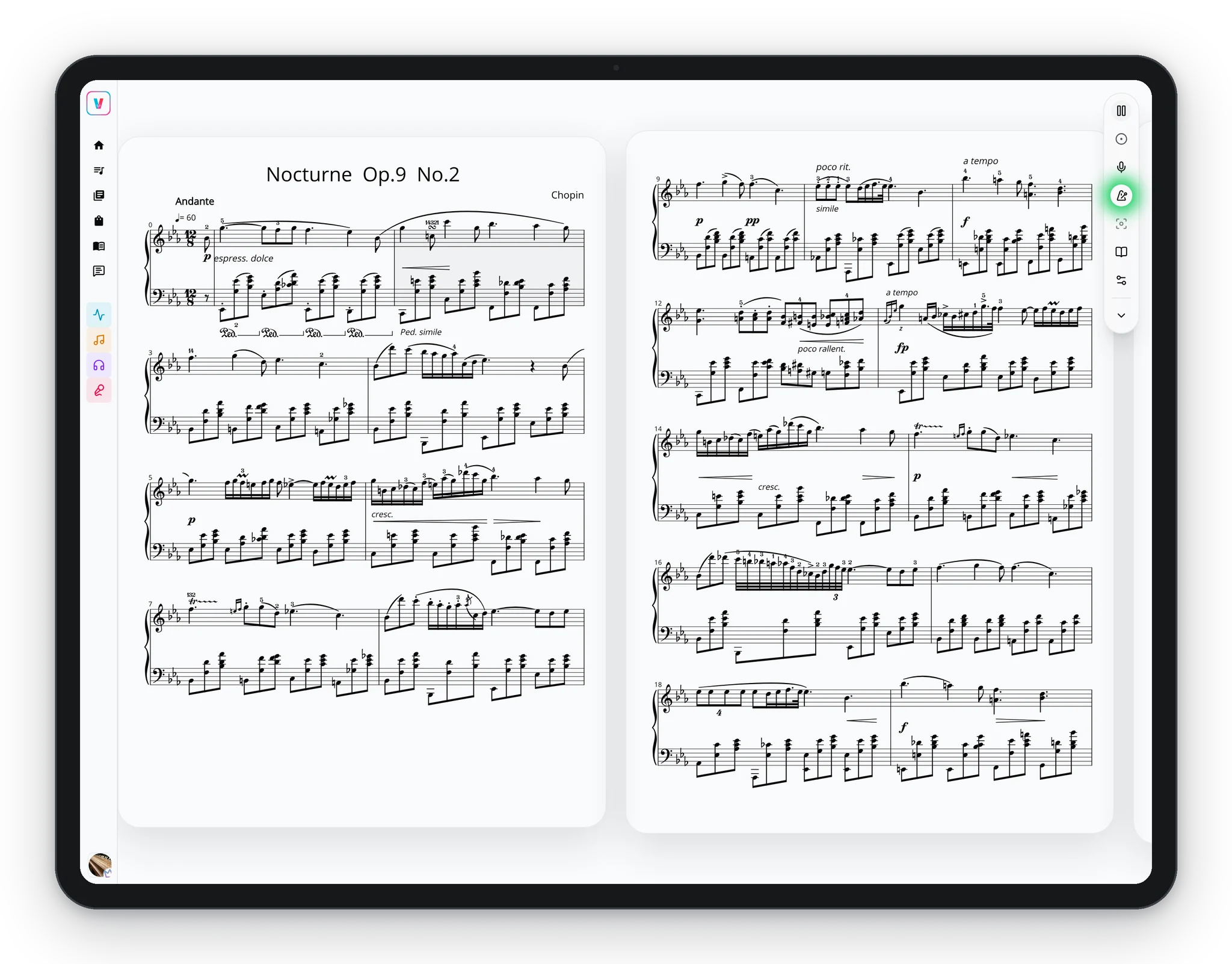
From the first bar to the final page.
Notes on the score
Connect a digital piano and every note you play is marked right or wrong on the score. Rushing or dragging shows up on the spot, too.
See the difference at the keys
Hands stay on the keys.
The line you’re practicing stays in view, and pages turn with the music as you listen.
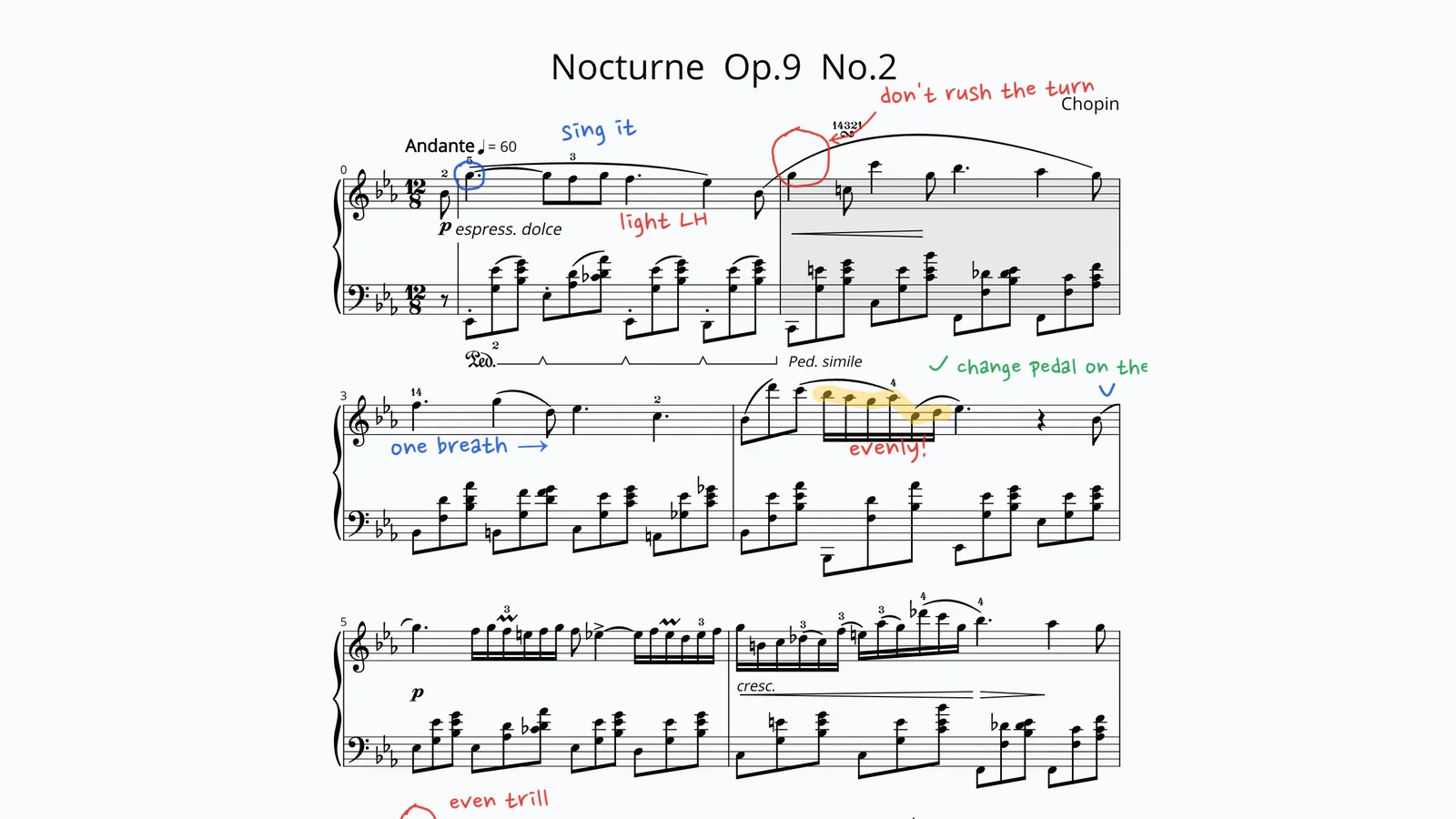
Every note, the moment you play it.
Right notes, wrong notes, and rushed beats show up on the score the instant you play.
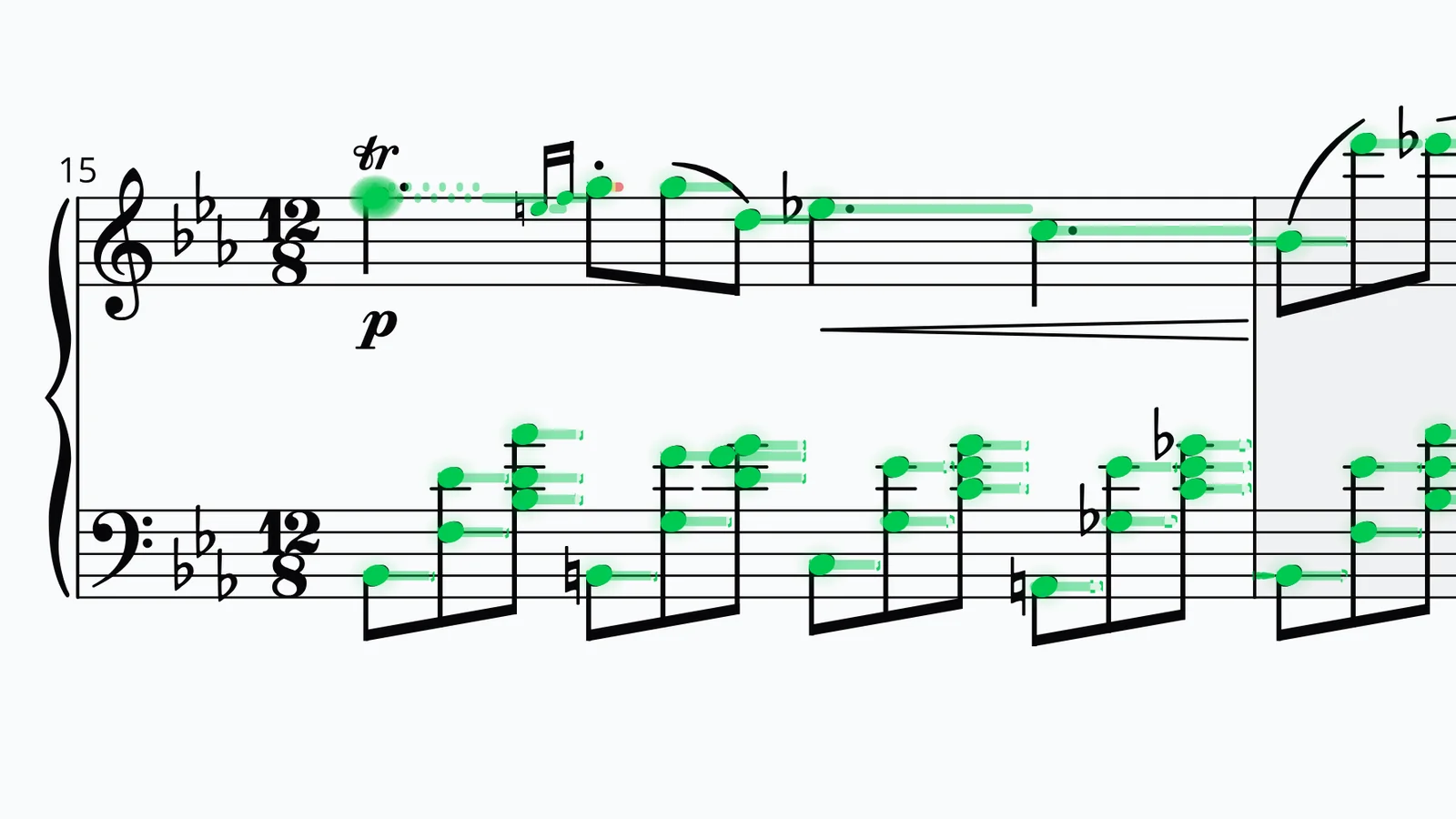
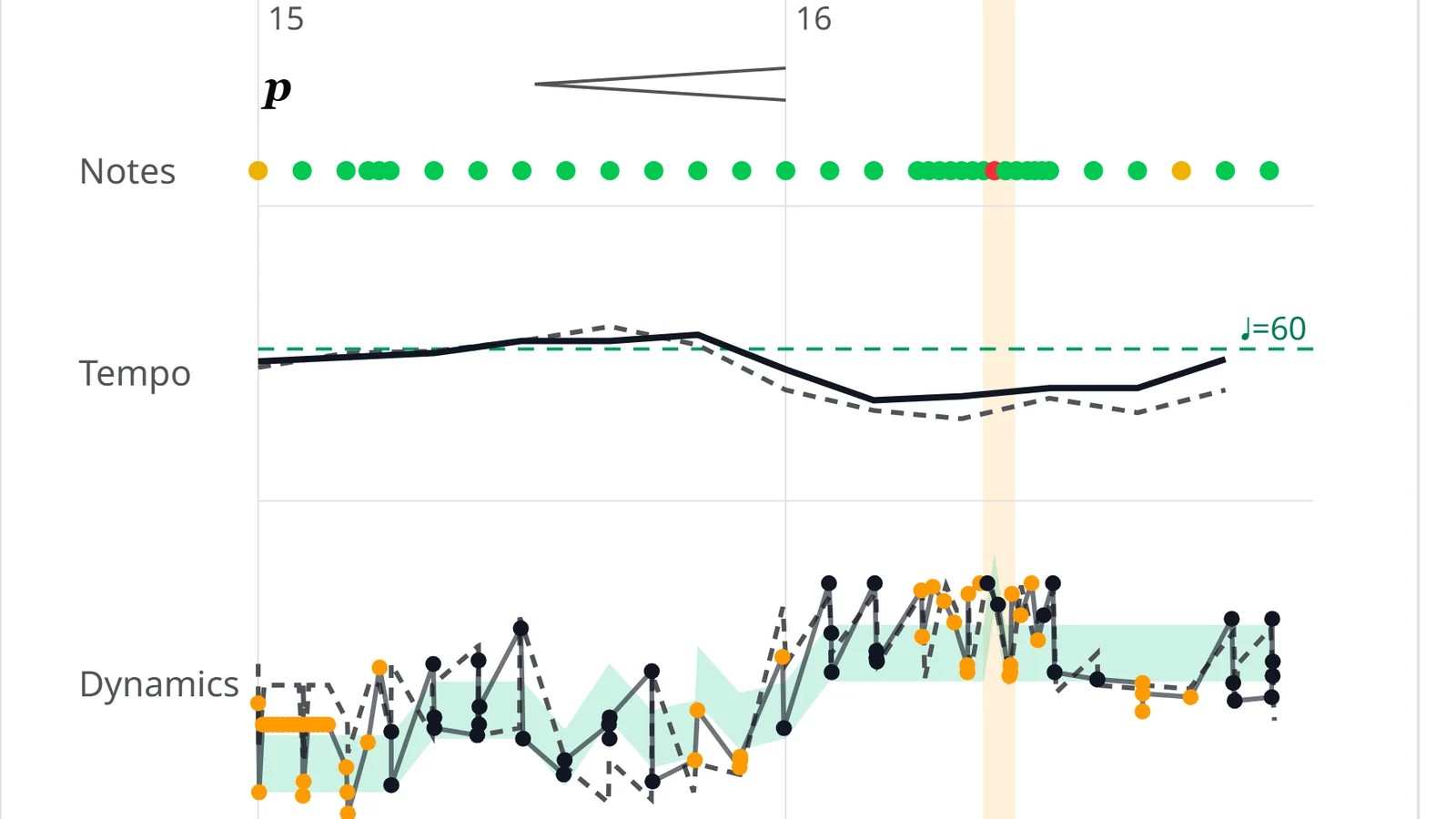
Habits your ears missed, clear after one take.
Spot right where you rushed and why the same bar keeps tripping your fingers.
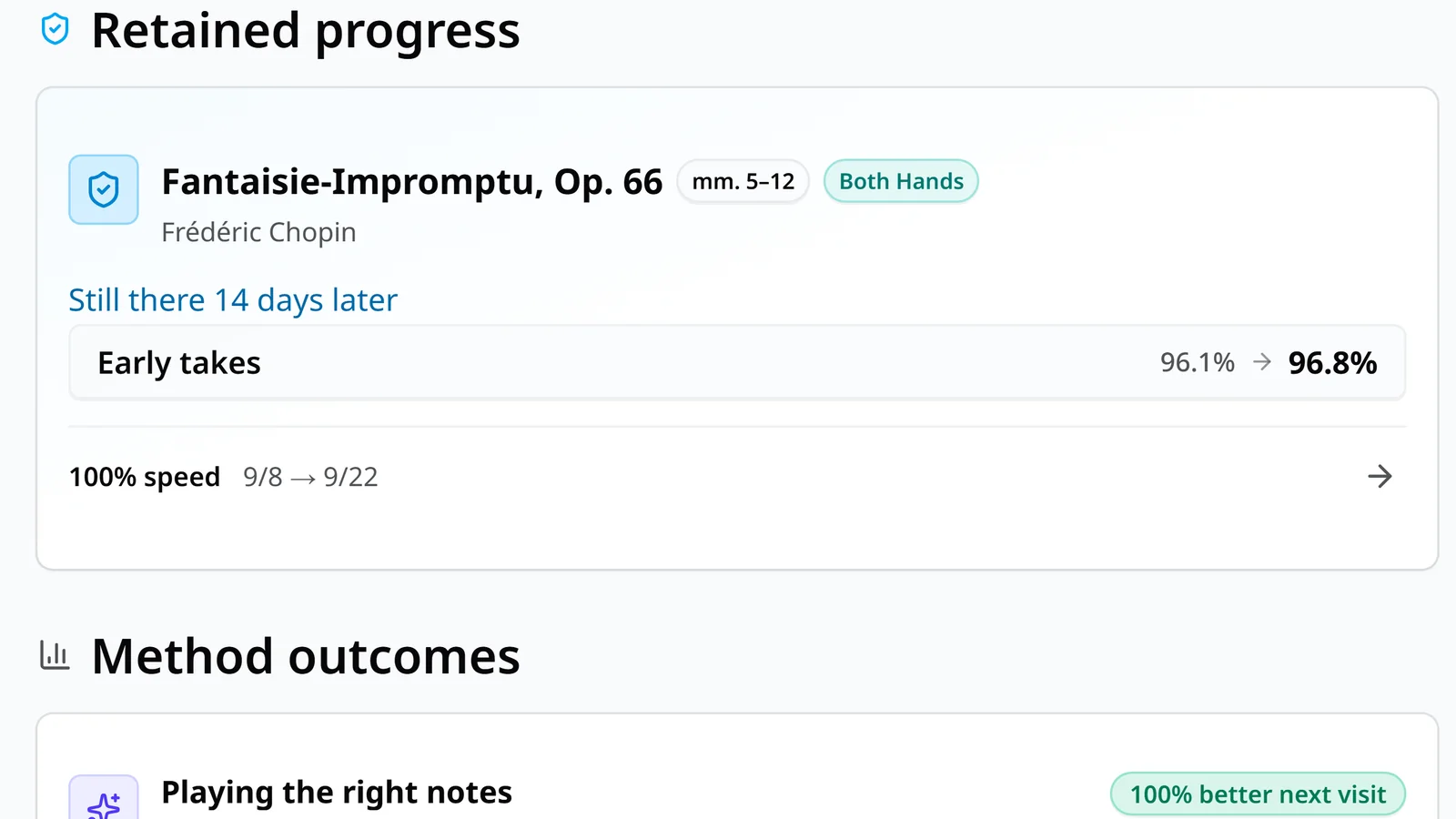
Hard-won pieces stay in your hands.
Just as a finished piece starts to fade, Virtu brings it back for a light review.
From the first bar you open
Until the whole piece feels like yours.
- Finding the notes
- Hands together
- Up to tempo
- Shaping the sound
- Playing it through
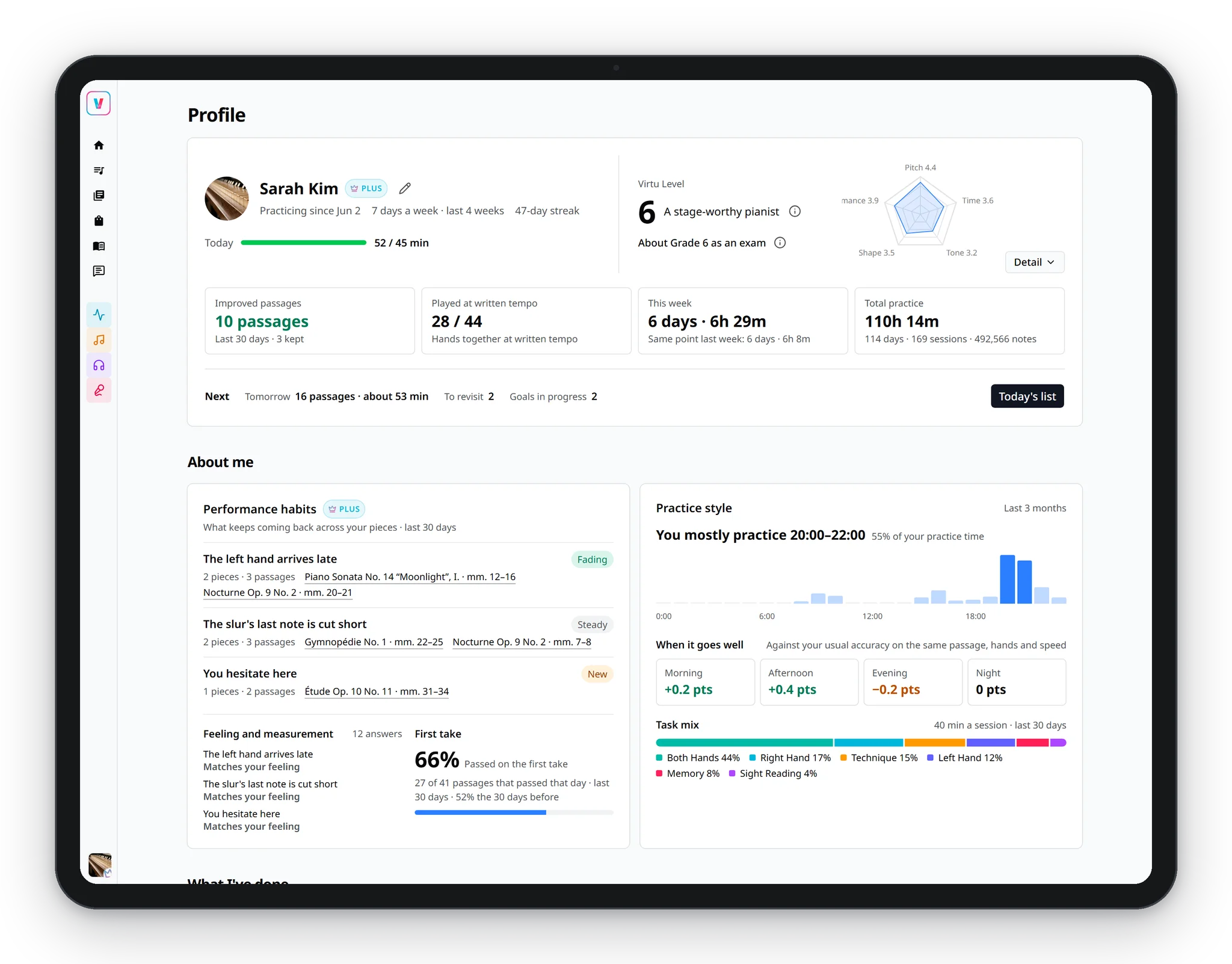
See how close each piece is to playing all the way through.
Your level grows with the pieces you finish, and every practice day lands on your year-long calendar. See at a glance which bars are solid and which need another look.
Easy to start.
Start free
The core practice is free, with no ads.
Your own scores
Import your score files and start practicing.
Connect your digital piano
Connect it, and every note is marked on the score as you play.
Anywhere
On iPhone, iPad, and Android. Practice works offline, too.
Frequently asked questions
Which pianos does Virtu work with?
Connect a digital piano to your phone or tablet, and Virtu marks your playing on the score to find the measures where you stumbled. Acoustic pianos don’t support performance analysis yet, but you can still open scores and use practice tools like the metronome.
How to connect your pianoCan I practice with my own scores?
Yes. Import your own MusicXML or MXL files, or pick a piece to practice in the app.
What can I do for free?
The core practice flow is free with no ads: today’s prepared measures, feedback on the score after each take, loops and tempo control, and your practice history. Plus adds deeper performance analysis and automatic tempo progression.